Some of your Esri software is retiring. What now?


So some of your Esri software is retiring.
Whatever happens next, somebody is going to spend a great deal of time on it. Every retired app has to be found, rebuilt, tested, republished and explained to the people who were using it. None of that was in anyone’s plan for this year.
This makes now an ideal opportunity to ask where that effort should go. Your team can spend it recreating what you already had: a tool that your organization is used to — all of its benefits, quirks and limitations. Or you can challenge the status quo and spend that time building something that works better.
This post covers what is retiring and when, what the rebuild really costs, and how to decide deliberately between rebuilding what you had and starting fresh.
What is happening, and when
For Esri users, here are the five retirement moments that matter most right now:
- Web AppBuilder: New apps blocked Q1 2026. Editing locked Q4 2026. Apps stop working Q2 2027.
The largest item for most organizations. Editing locks in Q4 2026, so a broken app is a frozen app. Esri’s path is Experience Builder, and apps are not converted automatically. Each one is rebuilt by hand. Note: Esri’s own pages currently give three different end dates; this is the latest, and it has been extended before. - Classic Esri Story Maps: Q1 2026.
The one most likely to have caused damage nobody has noticed. Existing story URLs stop working, so consultation material, annual reports and plans linked from public pages now return nothing. Note this applies to Classic Story Maps only. - Configurable Apps: Removed from ArcGIS Online February 2026. Gone from Enterprise at 12.0.
Esri published a template-by-template mapping to Instant Apps, but it is a mapping rather than a migration. Each app is recreated by hand, and some templates point to a different product entirely: GeoForm, for instance, maps to Survey123. - Map Viewer Classic: Q1 2026.
Maps open in the current Map Viewer without intervention, but popups and styling frequently need rework. The retraining is the real cost, not the migration. - ArcGIS Workforce: Removed from ArcGIS Online Q4 2026, and from Enterprise at 12.2.
Folded into Tasks in ArcGIS Field Maps. Check your version first: Tasks needs Enterprise 11.5 or newer, or Field Maps 25.2 or later, so some organizations have an upgrade in front of the migration.
Three of these share a cause: Web AppBuilder, Configurable Apps and Map Viewer Classic were all built on the ArcGIS API for JavaScript 3.x, which Esri retired in July 2024.
What this costs your organization
The license line may be the smallest part of your bill.
Every app created with a product on that list is rebuilt rather than converted. That means someone inventories what was published, works out who still uses each one, rebuilds it, tests it, republishes it, updates every link pointing at it, and retrains the people who relied on it. Multiply that by however many apps accumulated over a decade, and the honest unit is analyst quarters, not analyst days.
That is time not spent on analysis, and it is not the first time it has been spent this way. Previous retirements include Collector, Explorer and Tracker in 2021, Dashboards Classic in 2022, AppStudio in 2025, and ArcMap in March 2026, which went on the same day as four other desktop products.
And the rebuild is landing in the same budget cycle as a licensing change. Esri stopped selling Concurrent Use licenses in June 2022 and deprecated the license type on 1 July 2025. The pooled seats that let occasional users share a license are gone. Anyone who opens a map twice a year now needs a seat of their own.
That is a four-year wind-down reaching its end rather than an ambush, and it is fair to say so. But the two arrive together: the apps have to be rebuilt, and the seats have to be recounted, in the same twelve months and out of the same budget.
What does “better” look like?
This is exactly why the important question is not how quickly you can get back to where you were — but what you want to rebuild, and how.
Here are three questions to work through:
Does this app still have users? Pull the usage statistics before scoping anything. A surprising share of published apps have no users at all, and a retirement notice is the cheapest permission anyone will ever get to switch those off instead of moving them.
Is this a port, or a rebuild? If your usage stats show people are relying on your app — great! It’s time to engage your users. Are they happy with it? Does it do everything they need it to do, when they need to do it? If the answers are yes and yes, port it and move on. If not, you are paying the full cost of a new app, no matter how it gets rebuilt. It’s time to decide whether new should mean a new version of the same thing… or something better.
What would “better” actually look like? If a rebuild is on the table, it helps to know what you are measuring an alternative against. A few questions separate a new version of the same thing from something better:
- Does it work with your data where it already lives, or does it need its own copy kept in sync?
- Can people outside the GIS team get answers from it without a license or a place in the queue?
- How does it fit the tools your organization is already adopting, including the AI assistants people are starting to ask questions in?
- What happens if you’re asking these questions again in five years? A platform’s retirement history is as useful a guide as its feature list.
A new way of doing GIS for the agentic era
If you’re rebuilding in 2026, rebuild for what’s coming, not for what the original app was designed against. CARTO offers a new approach.
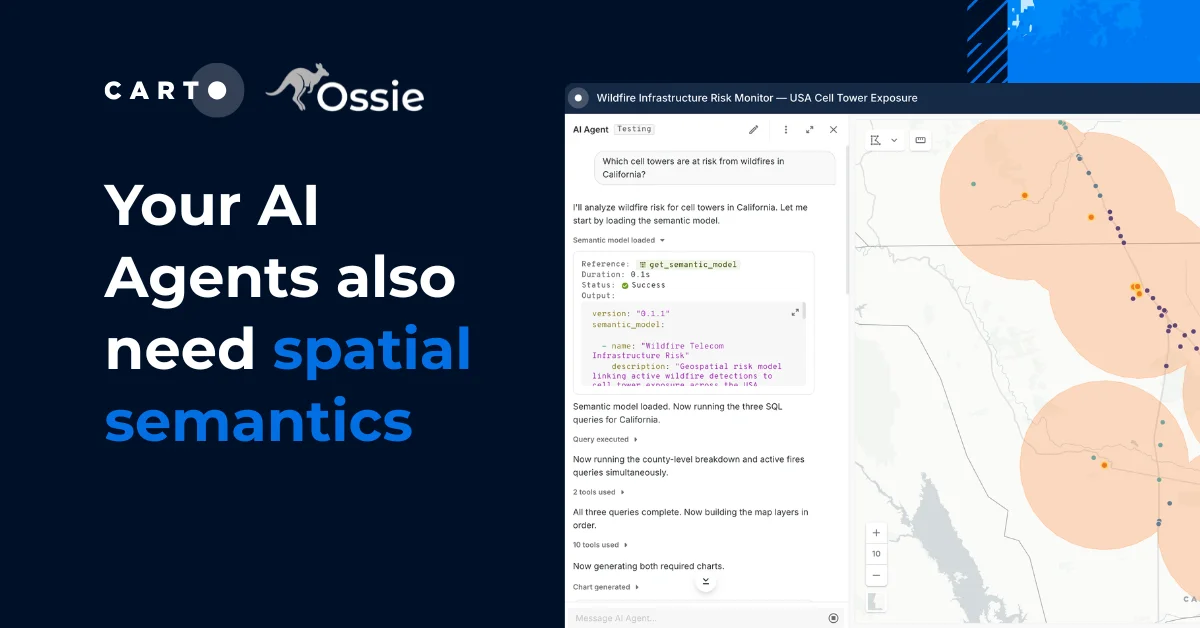
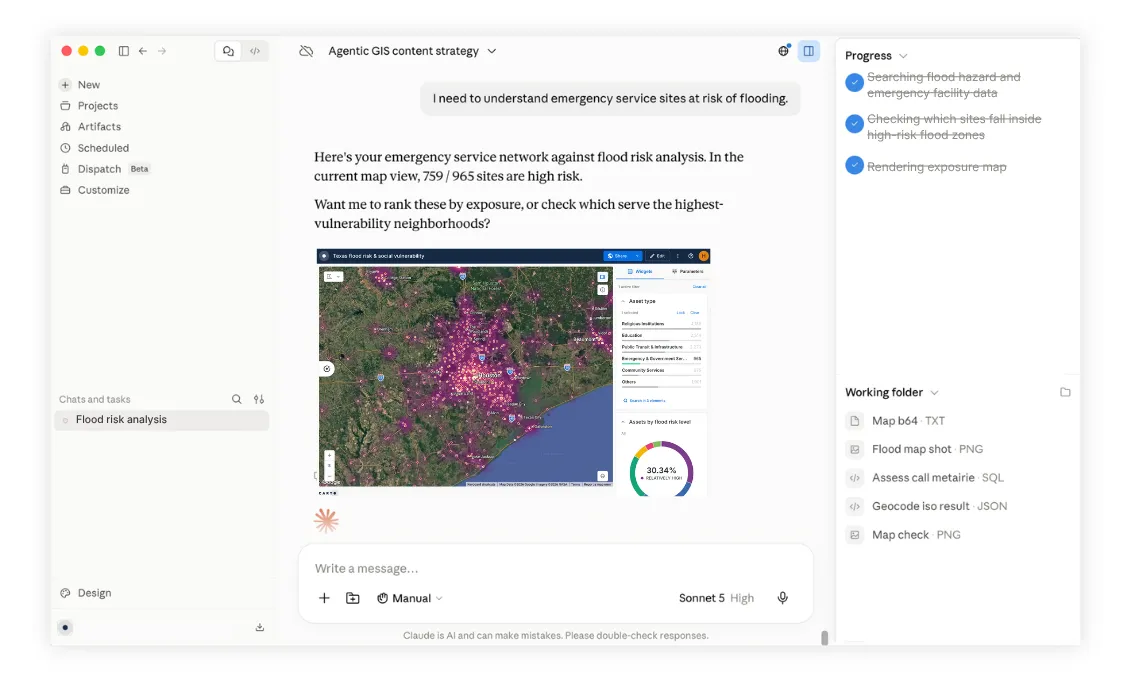
CARTO is the leading Agentic GIS platform. It runs inside the warehouse you already use, whether that’s BigQuery, Snowflake, Databricks, Redshift or Oracle. You can build maps, workflows, apps and AI Agents there, or from the AI tools your teams already use, like Claude, ChatGPT and Microsoft Copilot, through CARTO for Agents.
The result is a different way of working:
- No syncing. Everything runs against your warehouse, under the permissions you already have.
- No widget wrangling. Describe the map, app or workflow you need — and have it ready in minutes.
- No waiting in a GIS queue. Colleagues ask the map a question and get an answer.
- No platform to outlive. CARTO apps are built on deck.gl, an open-source framework. Much of this migration started when Esri retired its JavaScript API, and open source means no vendor can retire the foundation of your apps.
How to rebuild with CARTO
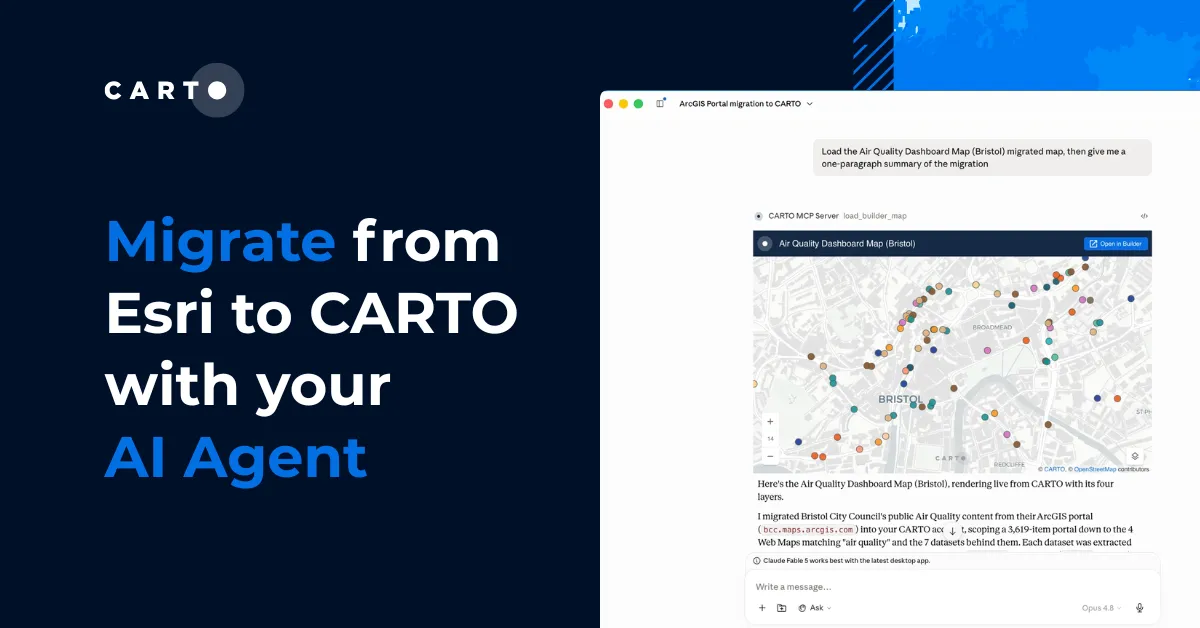
You don’t have to map out the migration by hand. CARTO’s ArcGIS migration Agent Skill takes stock of your ArcGIS content and proposes a plan for you to approve. It then moves hosted feature layers into your warehouse, and turns web maps and simple apps into Builder maps. Nothing moves until you approve it.
Here’s how that migration maps out:
Web AppBuilder → CARTO Builder maps and custom deck.gl apps
Maps read live data straight from your warehouse, so there’s no hosted copy to keep in sync. Custom apps no longer need a developer, because you can vibe code a working version in an afternoon.
Classic Esri Story Maps → Builder maps with a narrative, or vibe-coded story apps
The story sits on live data, so it updates whenever the data does. You’re no longer publishing a snapshot that goes stale soon after it’s shared.
Configurable Apps → Builder maps, plus workflows for form submissions
One tool replaces templates that Esri spreads across several products. Form submissions land in the same warehouse where your analysis already runs.
Map Viewer Classic → Builder, or CARTO for Agents in Claude, ChatGPT or Microsoft Copilot
Making a map no longer means learning how to use a map viewer. Anyone who can describe what they need can get it, which takes those requests out of the GIS queue.
ArcGIS Workforce → CARTO territory balancing and route optimization workflows, alongside Field Maps Tasks
CARTO doesn’t dispatch the work, but it decides who should go where. Assignments are based on balanced workloads and shorter drive times instead of someone dividing up a list by hand.
Rebuild, or rebuild better?
The apps are going either way. What is yours to decide is what all the rebuilding effort buys. Recreating what you had is the smaller conversation and the easier business case, and for some apps it is the right answer. But you are about to spend real analyst time regardless, and spending it on a platform that will not ask you to do this again is worth at least considering before the work starts.
Request a demo to see what rebuilding on top of your own cloud data looks like.
Frequently Asked Questions
When does Esri Web AppBuilder stop working?
Web AppBuilder blocked new apps in Q1 2026, locks editing in Q4 2026, and apps stop working in Q2 2027. Esri’s own pages currently give three different end dates; Q2 2027 is the latest, and it has been extended before. Esri’s replacement is Experience Builder, but apps are not converted automatically, so each one is rebuilt by hand.
Which ArcGIS apps are retiring in 2026?
In 2026, Esri retires Classic Esri Story Maps (Q1 2026, when existing story URLs stop working), Map Viewer Classic (Q1 2026; maps open in the current Map Viewer, but popups and styling often need rework), Configurable Apps (removed from ArcGIS Online in February 2026 and from Enterprise at 12.0) and ArcGIS Workforce (removed from ArcGIS Online in Q4 2026 and folded into Tasks in ArcGIS Field Maps). Web AppBuilder also locks editing in Q4 2026.
What does migrating off retiring ArcGIS apps cost?
The license line may be the smallest part of the bill. Every Web AppBuilder or Configurable App has to be inventoried, rebuilt, tested, republished, relinked and explained to its users, which across a decade of accumulated apps is measured in analyst quarters rather than analyst days. It also coincides with Esri deprecating Concurrent Use licenses on 1 July 2025, so occasional users now need a seat of their own.
What can replace Web AppBuilder and other retiring ArcGIS apps?
CARTO runs inside your existing cloud data warehouse, and its ArcGIS migration Agent Skill proposes a plan, then moves hosted feature layers into your warehouse and turns web maps and simple apps into Builder maps. Nothing moves until you approve it. Web AppBuilder, Configurable Apps and Classic Story Maps map to CARTO Builder maps, workflows or vibe-coded apps. For Workforce, CARTO’s territory balancing and route optimization workflows decide who should go where alongside Field Maps Tasks, but CARTO doesn’t dispatch the work.